
What is Facet
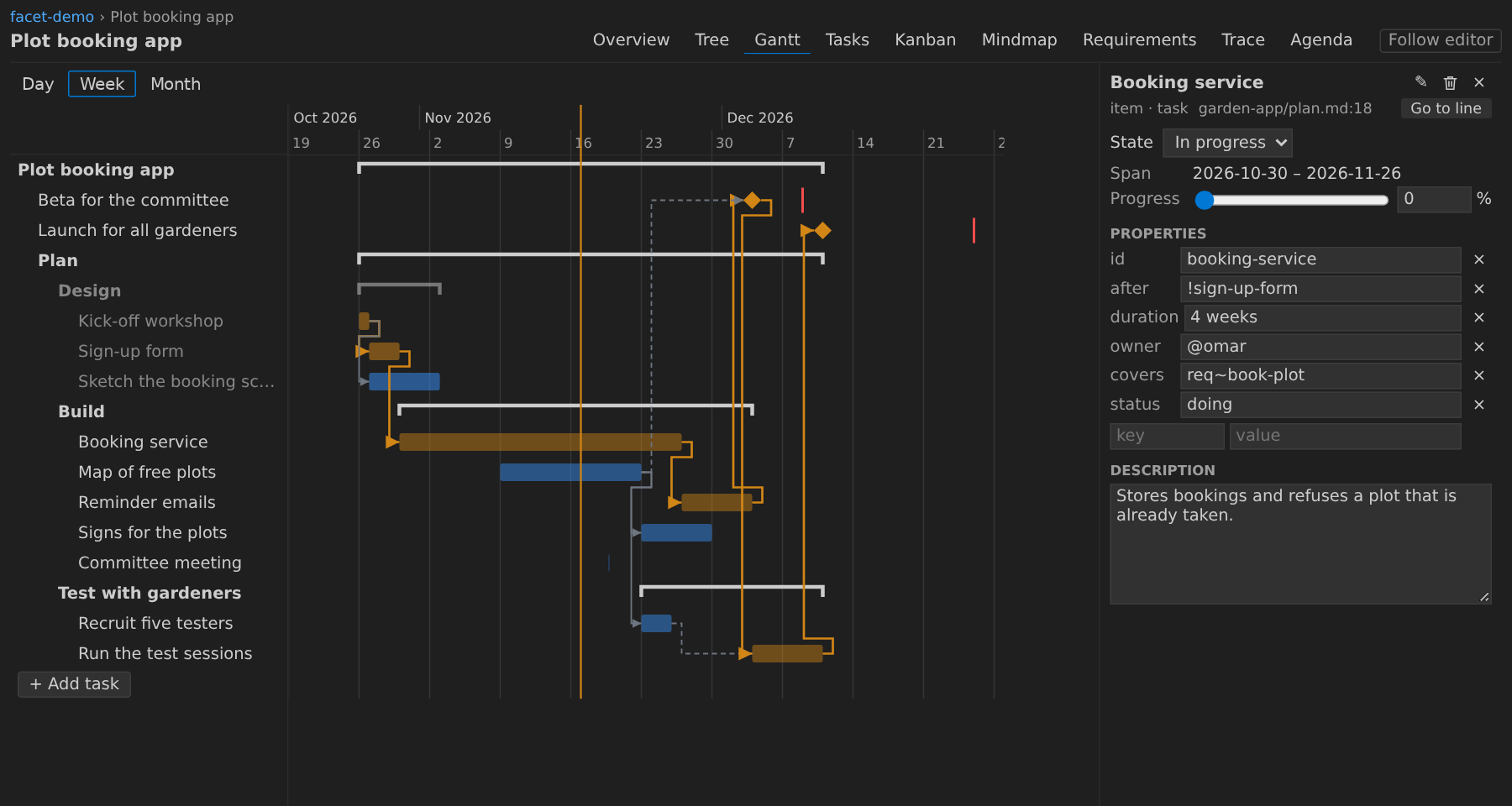
Facet is a VS Code extension that reads plain Markdown planning files and shows them as interactive views: a Gantt chart, a work breakdown tree, a mindmap, a task list and board, an agenda, requirement coverage and an overview across files. When you change something in a view, Facet writes the change back to the Markdown, at the right line of the right file.
A facet command line tool reads and edits the same files, so scripts and
AI agents can work on the plan too.
Why Markdown
Section titled “Why Markdown”A plan in Markdown is a plan you already know how to edit. You can:
- write it in any editor, or with no special tool at all;
- read it on GitLab, GitHub or in a terminal, where it renders as a normal document;
- keep it in git, review changes in a diff and merge them like code;
- hand it to an AI agent, which reads and writes text well.
Facet adds meaning to a few conventions, never new block syntax. A file that Facet understands still renders fine everywhere else.
## Launch
- [x] Kick-off [id:: kickoff] [start:: 2027-02-01]- [ ] API design [id:: api] [after:: !kickoff] [duration:: 2 weeks]- [ ] Beta release [after:: !api] [due:: 2027-03-01]
One model, many views
Section titled “One model, many views”Facet parses the files of a folder into one model: headings and list items become nodes, checkboxes become tasks, and properties give them dates, owners and links. Every view reads that same model:
| View | Shows |
|---|---|
| Gantt | dated work on a time axis |
| Tree | the outline, with progress |
| Mindmap | the outline as a map |
| Tasks and Kanban | tasks as a list or as cards |
| Agenda | what is overdue, due today and next |
| Requirements | coverage and trace graph |
| Overview | progress across files |
Drag a bar, tick a box or rename a node, and Facet makes the smallest text edit that says the same thing. The text stays the source of truth: open the file and you see exactly what changed, and Ctrl+Z in the editor undoes it.
Conventions it builds on
Section titled “Conventions it builds on”Facet does not invent a syntax. It combines conventions that already exist:
- Dates use the Markwhen date grammar: ISO
dates,
today, durations like2 weeks, recurrences likeevery monday. See Dates and scheduling. - Tasks and properties follow Obsidian Tasks and Dataview: checkboxes
for state and
key:: valuefields for the rest. See Tasks and Nodes and properties. - Requirements use OpenFastTrace-style ids:
req~name, with tasks that declarecovers:: req~name. See Requirements.
A lint checks the files and reports broken links, dependency cycles, late work and over-allocated people in the Problems panel. See Lint.
What it does not do
Section titled “What it does not do”- It does not store anything outside your files: no database, no account, no server.
- It does not export, send notifications or sync with issue trackers.
- It counts calendar days only: no working-day calendars or holidays.
- It does not move tasks for you. It shows conflicts, such as one person on two tasks at once, and leaves the fix to you.
- It is in preview. The file format can still change between releases.
Who it is for
Section titled “Who it is for”Facet suits people who already keep plans, task lists or requirements in Markdown next to their code or notes, and want to see them as a timeline or a board without moving them into another tool. It also suits teams who let AI agents read and update the plan: the agent edits text, and you see the result in the views. See Facet for agents.
Next steps
Section titled “Next steps”- Install the extension.
- Spend five minutes with Facet: open the demo, then write a first plan of your own.