
Agenda
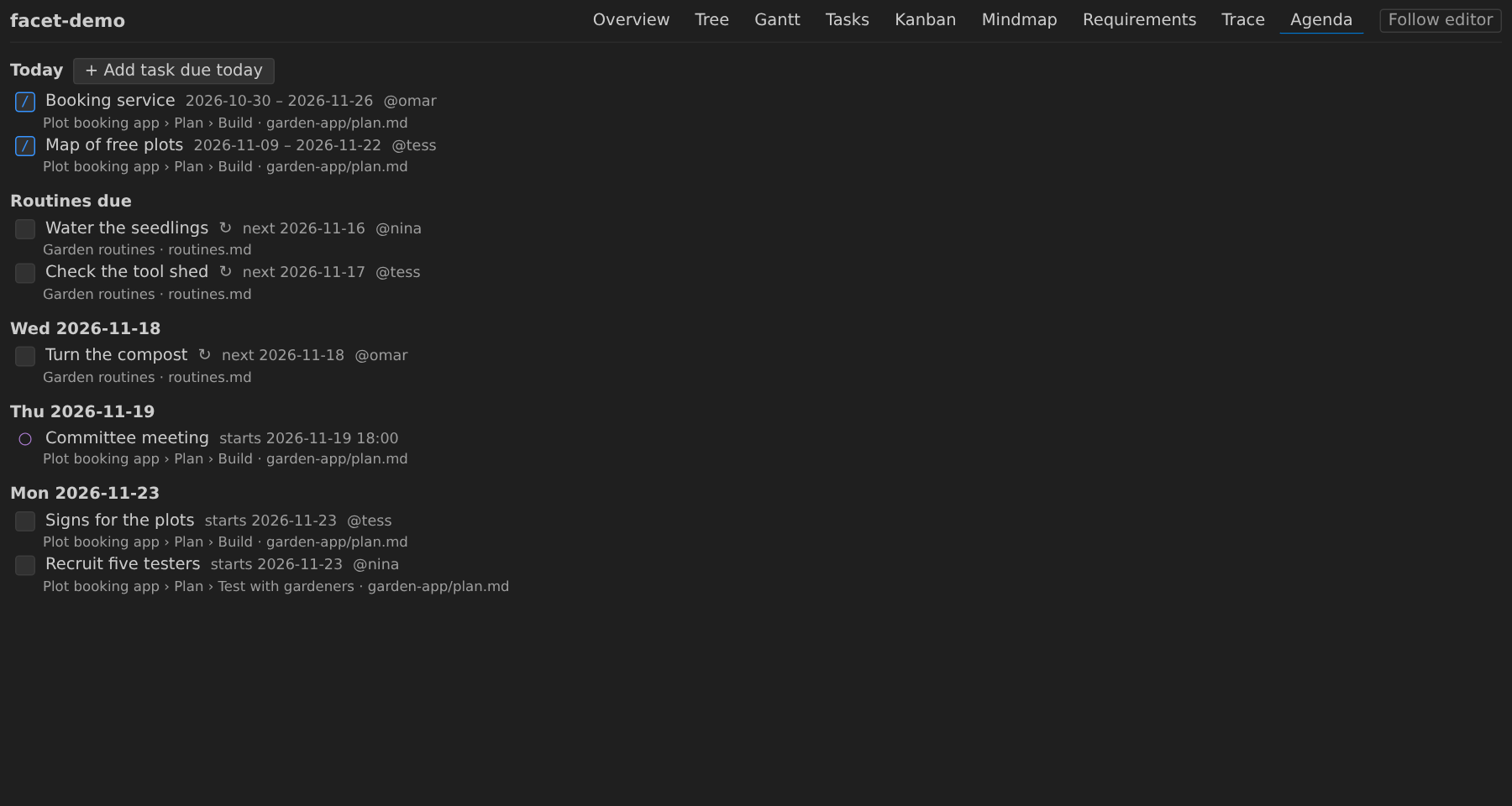
The Agenda answers “what do I do now?”. It lists open tasks, events and milestones in four groups: overdue, today, routines due, and the next seven days.
Open it
Section titled “Open it”- Facet: Today in the Command Palette opens the Agenda of the whole workspace.
- On a file or folder with tasks, events or milestones, pick Agenda in the view switcher to see the Agenda of just that file or folder.
What it shows
Section titled “What it shows”Only leaf tasks, events and milestones that are not done or cancelled. Each item is listed once, in the first group that applies:
- Overdue: tasks whose
due::date is before today. A task withoutdue::is overdue when its computed end is before today. Events and milestones without a checkbox are never overdue. - Today: due today, or with a computed span or milestone on today. This group is always there, even when empty.
- Routines due: repeating tasks whose next occurrence is today or earlier.
- Next 7 days: one group per day, with what is due, starts or is a milestone that day, and the next occurrences of routines.
Repeating tasks carry a ↻ mark. How due::, repeat:: and computed dates
work is described in Tasks and
Dates and scheduling.
| Do | To |
|---|---|
| Click a checkbox, or Space | tick or untick the task |
| Delete or Backspace | delete the item |
| + Add task due today | add a task due today |
Ticking a task is the same edit as in every view. A repeating task stays
[ ]: Facet writes last:: <today> and moves its due:: to the next
occurrence, so it leaves the list until it is due again. For example,
ticking this routine on 2027-03-08:
- [ ] Water the plants [repeat:: every week] [due:: 2027-03-08]gives:
- [ ] Water the plants [repeat:: every week] [due:: 2027-03-15] [last:: 2027-03-08]A task added with + Add task due today is written
- [ ] title [due:: <today>], in the section you pick in the composer.
Navigate
Section titled “Navigate”Up and Down (and Home, End) move between items. Enter or a click selects an item and shows its details. Ctrl+click (Cmd+click on macOS) or “Go to line” opens its line in the text editor.